
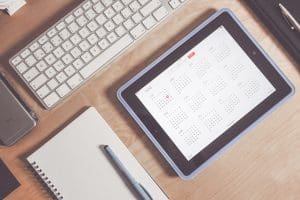
Planning is a broad topic, with no shortage of opinions on how to do it “best.” I’ve seen (and written about) a variety of approaches for planning one’s tasks, projects, meetings, etc., and have concluded that this is not a “one size fits all” topic. As with many aspects of organizing and productivity, a planning process should be customized to fit the individual. If you have a system that is working, feel free to skip this post. However, if you are struggling, I have some thoughts on how to maximize planning, calendars, and tasks one day, week, and year at a time.
Let’s begin by noting that most systems, be they digital or analog, offer different “glances” with which to view your plan:
- Day-at-a-glance
- Week-at-a-glance
- Month-at-a-glance
- Year-at-a-glance
These choices can be confusing. Should we be using all of them? Is one “glance” better than another? It isn’t a simple answer.
Each of these views has benefits.
Day-at-a-Glance: Your “Marching Orders”
Day-at-a-glance is a micro, zoomed-in look at your life. This view is tangible and specific, clearly outlining – in detail – what you need to do today. I like to think of this view as marching orders, like the instructions a superior might give to his subordinate: “Here, this is what you need to do today.”
Specifically, this glance is helpful for:
- Tasks you need to accomplish today.
- Time-stamped commitments you have today (e.g., meetings, calls, pick-up/drop-offs, work requirements, lessons, appointments, practices, games, etc.).
- White space (or unprogrammed windows) when you can deal with unexpected developments and/or rest and refresh.
In addition, the day-at-a-glance affords an easy way to track your progress via checkmarks, filling in boxes, or crossing off completed items. [For more information, click here to learn about a Daily Log.] It’s also fairly simple to group and prioritize tasks on the day-at-a-glance.
Week-at-a-Glance: Your “Mission”
Another very helpful view is looking at the week ahead. Modern society tends to operate on a weekly pattern, with usually one or two rest days built into that week. The traditional week begins on Sunday, so most week-at-a-glance formats run Sunday through Saturday. We tend to mentally “inhale” on Sunday nights as we contemplate the week ahead.
Reviewing the week-at-a-glance is helpful for:
- Reminding yourself of what is coming up in the week ahead, including deadlines, commitments, activities that will require extra time and/or effort on your part, etc.
- Giving yourself a chance to proactively shift things around if you see conflicts or difficulties (e.g., you may need to move a call if it coincides with your flight).
- Providing a bird’s eye view of all your different workstreams, and by this, I mean any initiatives in which you are involved. Most people have “buckets” of responsibilities, (e.g., kid-related, work-related, volunteer-related, health-related, spiritual-related, etc.). I find great benefit in mentally running through what might need to be added for each bucket during the week ahead.
Month-at-a-Glance (or Season-at-a-Glance): Your “Command Center”
Monthly planning allows you to step back a bit from the daily grind and mindfully review what lies ahead in the next season. This is similar to the meeting of the military “higher ups” in their field office. Imagine George Washington and his team in a tent outside Valley Forge, figuring out which offensives they want to undertake when spring arrives.
The Season-at-a-Glance is helpful for:
- Planning activities and special outings for you and your family. (e.g., signing up, buying tickets, making reservations, coordinating with family members, etc.).
- Identifying “big” projects and deadlines that will be coming up in the next couple of months. (e.g., taxes will be due, kids will be on break, I have a conference in another city, we are traveling for the holidays, etc.).
- Keeping track of recurring activities and appointments in a given season. For instance, many families hang a large wall calendar showing who has which commitments during this month or season. A Google™ calendar can be color-coded in a similar way for a quick overview of the current family schedule.
This monthly or seasonal view is meant to orient your mind to what will be the “normal” rhythm for the weeks ahead. Reviewing the month-at-a-glance is also likely to spin off some tasks that will need to get transferred to your daily task list. For example, if you realize that next month is your mom’s birthday, you may add “buy Mom a present” to your task list. I am a huge fan of scheduling tasks to a particular day, rather than maintaining a long, un-dated list.
Not everyone uses a monthly or seasonal approach to planning, but it can be a nice way to wrap your brain around what you generally want to accomplish in the next season.
Year-at-a-Glance: Your “Cause”
Assessing the year ahead is strategic in nature. The topic of “the year ahead” often pops up on New Year’s Eve. However, true yearly planning is more than a resolution. Yearly planning is more like when the Continental Congress was gathered in Philadelphia, discussing and ultimately deciding to launch a war of independence against the British.
The yearly perspective is helpful for:
- Reviewing the previous year and considering what worked well and what didn’t.
- Identifying your top priorities for the next twelve months.
- Reviewing the family schedule (if appropriate) and blocking out time for trips and vacations.
- Selecting a theme, cause, or word to represent your year.
- Considering what activities, habits, and commitments you may wish to change.
Many people carve out “special” time for yearly planning by combining it with a weekend away or special evening. The year-at-a-glance should not be rushed or feel like pressure. It is your opportunity to make mindful, intentional choices for yourself and your family.
*
Now that we have overviewed the different planning horizons, let us return to the question of how to maximize, or get the most out of, your planning.
The single most important way to maximize the effectiveness of your planning is by doing it consistently.

Variety is fun and exciting. Variety is the spice that awakens our senses and makes life vibrant. Nevertheless, to be productive, we must choose to mindfully plan how we will show up, and then follow through on our plan. Consistency is doing the unexciting work, independent of how we are feeling, our mood, the weather, the political climate, our level of motivation, how well we are being treated, or anything else.
Consistent planning might look like:
- Reviewing your day-at-a-glance at the close of the day for the next day, and then again, each morning.
- Reviewing your week-at-a-glance on Friday afternoons, Saturday mornings, or Sunday evenings.
- Setting aside time on the first Monday of the month/season to remind yourself of what is coming up in the next thirty days/three months.
- Scheduling a day or weekend “retreat,” either alone or with your significant other, to dream and plan the year ahead.
Furthermore, planning is most effective when we consistently track our progress against the plan we have made, evaluating how we did at the end of the time interval, and then adjusting the next interval’s plan accordingly.
The more consistently you use your tools, the better they will serve you.
My second suggestion is to make all of your plans as specific as possible. Press yourself to plan in a way that minimizes the potential for procrastination, excuses, inefficiency, rationalizations, or any other detrimental factor to sabotage your success. Make your plans so clear that anyone seeing your plan would clearly understand what needs to be done. It’s the difference between the instruction to “Go fight” and “Approach the enemy from the left flank at dawn with canon fire.”

*
Planning is one of the most effective tools we have for suppressing chaos and staying focused. Your planning tools are your friends, reminding you of things you might otherwise forget, and keeping you on track when you are tempted to derail.
Which of the four “glances” do you find most helpful in your planning?


As a planner who loves and lives by her planner and someone who teaches planning, I love the specific ways you have highlighted the routines. Each time segment gives you a means of accomplishing your tasks and goals. Clearly, the most consistent people feel the most comfortable with this. However, I always tell my clients that if something goes wonky, just pick right back up!
Yes, there is such tremendous power in just getting up and starting again. It isn’t an “all or nothing” proposition, right?
I live by my weekly calendar, but you are right, it is an individual decision what calendar to use. I use an electronic calendar and I think the weekly view is not too small and not too big. As Goldie Locks would say Just Right!
Some advice I heard years ago from Elizabeth Hagan was to have a second computer monitor where you work and keep your calendar front and center on the second monitor. I did this and it really helped me focus on planning and scheduling.
So many people have multiple monitors these days that I think this suggestion can really work! I have one client specifically who has multiple monitors and the first thing I always say when I get there is, “Ok, let’s pull up that calendar on your left screen!” We put a shortcut on his desktop to get there quickly too. 🙂
I am lost without a plan. Having said that, I don’t plan down to the minute. I plan every evening for the next day. I use a weekly and monthly planner which shows me both views the month and the week. I like this process because I can quickly jot an appointment down in the monthly view and then add it to my week.
I am trying to do more long range planning – it’s a work in progress.
Thank you for these great tips!
I love that the digital calendars allow you to switch up your view as well. I’ve always used a paper planner, but I can see the benefits of having this versatility. At the end of the day, what is most important is that we use it consistently!
I often miss the experience of using a paper planner, but one way the digital calendar is superior is the ability to change views with just a click. Some views can get messy if there’s a lot on the calendar, but at least the content on all of them is the same, and you don’t have to record or change things in multiple places.
That is definitely a huge benefit of the digital calendars. The ability to switch your view, and also the portability and access for multiple users from various locations. If I were starting over with a family calendar these days, I would probably use a digital calendar for this reason.
Since I mostly am just managing my own time these days, I still use my paper planner. I do love it. I call it my “best friend” LOL!
I have been using my digital calendar exclusively in my retirement, because there’s less to plan than when I was working and more active. My go-to is the weekly view, but appreciate the ability to switch to the other views whenever I need to. My calendar syncs between my phone and my laptop, and I call my phone “my brain in my pocket” LOL! I also make regular use of the Search function. (When did I last see Dr. S.?)
Yes, that ability to switch between views with a digital calendar is really helpful. Definitely one of the major advantages of using that tool. I was just talking with a client about this today, who enjoys having the items available from different devices and via different views once it is entered, but doesn’t enjoy the process of entering each item.
Great point about the search function, though! You can also keep an excellent record of what you have accomplished without taking up a bunch of space. 🙂
I love the Search feature too! It helps answer questions like “when” and “how often” and even “have I ever…?” Helpful for planning, reminiscing, and even settling disagreements if someone doesn’t remember doing something with you!
You have me giggling, Janet, about settling a disagreement with someone. A picture is worth a 1,000 words, right? (Unless it is AI generated, and then who knows?)
I think I use every one of these “at-a-glance” views over the year. Lol—In my business, I work on a Year-at-a-glance view in January, a month-at-a-glance view to see what is coming up the next month, and then revert to week-at-a-glance on Sundays and Day-at-a-glance each day. Great post, Seana!
I’m sort of like you. I think all the “glances” have merit, and I just use them at different intervals!
This post is really good timing for me. Just starting to work with a client on some office organizing. Personally I love the week at a glance but there is value in occasionally looking further ahead as well.
My “meat and potatoes” is day at a glance, because I also highly value the week at a glance. Both can be such helpful tools!
Those calendar views are a fascinating way to see how you’re focusing or conceptualizing the time you have to do or not do.
One of the things I love most about the digital calendar is how I can switch views depending on what I need to see or plan. My preferred device is my iPad because the screen is large enough to view a week-at-a-glance but also ‘read’ what’s happening daily. I use the month-at-a-glance view for long-range planning.
On my iPhone, the day-at-a-glance view is the easiest to read. So I use that when I’m out and about and need a quick reference. But I prefer to do most scheduling with my iPad in the vertical weekly dated format.
My tasks are listed on my calendar and kept separately on an electronic task list. I flexibly know when to attend to them on a specific day or week without blocking them in. Most days have some ‘white space’, which partially gets used for the tasks, projects, or goals work.
The ability to switch the view on a digital calendar is one of this tool’s best features. It takes a bit more time to key everything in, but once you do, you can easily see it, color code it, attach a task, etc.
I’m with you with using the iPad for the larger screen!
If I’m gonna be honest, I love having a paper planner. It helps me actually see what’s coming up without waiting for it to pop up in my calendar. I use a mix of both the calendar on my phone to plan out certain events and my paper planner for my to do’s.
I believe planning things out, having a monthly and weekly agenda is so helpful to help keep life from passing us by.
I use a paper planner and task list to, Florena. I love so much about it. That said, it mostly forces me into a daily view, which isn’t always the best. I do like the ability to shift to different views that comes with the digital calendar!
Seana, you always have such stellar overarching vision in the way you approach your posts.
When I worked in TV, I needed the daily, weekly, and monthly views because I was planning my own tasks as well as the programming for my TV station. I had FCC reports to file and budgeting to accomplish, schedule and movie calendars to create, and a million to-dos, like reading contracts and evaluating the ratings.
My current (second) career in organizing means that while I don’t have fewer tasks, I do have fewer big-ticket items. Instead of 6 meetings across a day, I have one client, and getting there, doing the work, and getting back might take six hours. Planning looks different. For me, a monthly and daily view, combined with a daily task list/log, combined with digital reminders on the computer ensures that I plan for everything to fit in the right order and nothing gets lost. I’m not a strategic person, so that annual view tends to be a backward and not forward glance, but maybe that’s something I need to reconsider.
But we all have to contend with our unique needs, and whether those are marching orders or mission statements, and I do love how you’ve presented this!
You are so right about how our needs can change over our lifetime. We still need to track the various aspects of our time and tasks, but how we do so efficiently and effectively may morph from one season to the next.
While the year-at-a-glance may not be everyone’s cup of tea, I do find that it is a positive experience. It doesn’t have to be big or grand, but I love at least setting the tone for the year ahead.
(By the way, the TV job sounds intense!)